KineMaster - Video Editor
Video
-
CategoryVideo
-
Downloads100,000,000+
-
Content RatingEveryone
-
Latest Version6.0.6.26410.GP
-
Offered byKineMaster Corporation
-
Email
-
Policyhttp://www.kinemaster.com/privacy/en/
Features of KineMaster - Video Editor
User-friendly interface
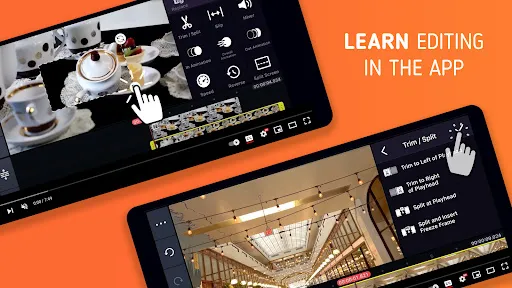
KineMaster - Video Editor offers a user-friendly interface, making it easy for users of all skill levels to edit and enhance their videos. With its intuitive design and simple navigation, users can quickly find and access the tools they need to create stunning videos.
Multiple layers of video and audio
With KineMaster - Video Editor, users have the ability to add multiple layers of video and audio to their projects. This feature allows for greater creativity and control over the final product, giving users the freedom to customize their videos with precision.
Professional editing tools
KineMaster - Video Editor provides users with a range of professional editing tools, such as trim, splice, and crop, allowing them to perfect their videos with ease. Additionally, advanced features like keyframe animation and chroma key enable users to add special effects and create visually stunning videos.
Tips
🎬 Enjoy video editing effortlessly.
Dive into the world of professional video editing with KineMaster. Its user-friendly interface makes cutting, merging, and adding elements to your videos a breeze, perfect for creating high-quality content quickly.
🌟 Unleash your creativity.
KineMaster empowers you to bring your creative visions to life. With its extensive asset store, you have access to a plethora of royalty-free music, sound effects, stickers, and templates, enhancing your videos for platforms like YouTube and Instagram.
🔥 Experience advanced editing tools.
Explore the realm of advanced video editing. KineMaster offers keyframe animation, chroma key, speed control, and more, allowing you to produce visually stunning and engaging content that stands out.
Pros & Cons
- Intuitive cutting and merging
- Vast royalty-free asset library
- High-level editing features
- Compatible with multiple platforms
##FAQ
Is KineMaster suitable for both beginners and professional editors?
Yes, KineMaster is designed to cater to users of all skill levels, offering both basic and advanced editing tools that are easy to use for beginners and powerful enough for professionals.
Screenshots

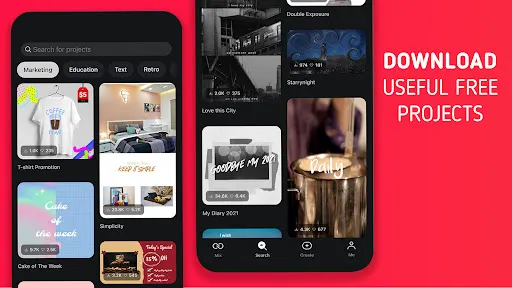
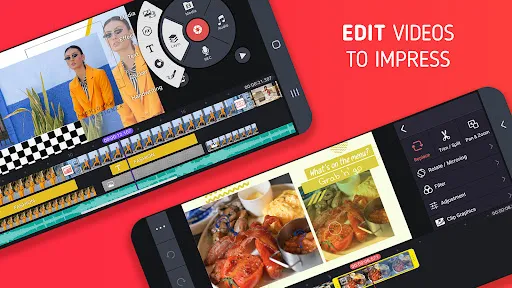
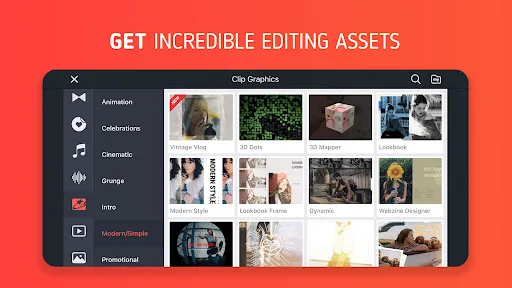
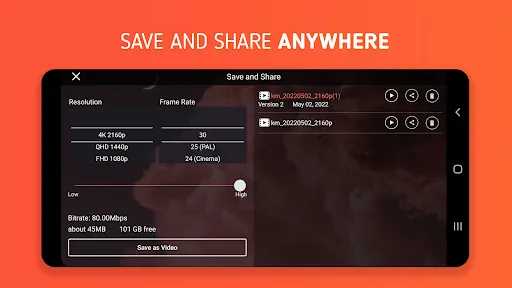
Similar Apps
-

NewPipe - Video Streaming
Argame F2p1.0 -
YouTube
Google LLC3.9 -
Video to MP3 - Video to Audio
InShot Inc.4.8 -
Vieka: Music Video Editor, Effect and Filter
FEDERATION NETWORK LIMITED4.3 -
PowerDirector - Video Editor
Cyberlink Corp4.3 -
Video Downloader - Video Saver
Fifty Shades of Apps4.1 -
Kwai - Short Video Community
Joyo Technology Pte Ltd4.4 -
Funimate Video Editor & Maker
AVCR Inc.4.4 -
Splice - Video Editor & Maker
Bending Spoons3.7 -
Video Editor & Maker VideoShow
VIDEOSHOW Video Editor & Video Maker LTD.4.6


Trending Apps
>>-
Blink Home Monitor
Immedia Semiconductor4.3 -
Yahoo Mail: Email & Planner
Yahoo4.2 -
Music Downloader Mp3 Download
Video Downloader & Video Player Team4.8 -
PlutoTV: Stream Free Movies/TV
Pluto, Inc.3.7 -
McDonald's
McDonalds USA, LLC4.1 -
ChatGPT
OpenAI4.8 -
Led Light & 3D Wallpaper App
Tresor Tech4.4 -
Google Translate
Google LLC4.3 -
NFL
NFL Enterprises LLC2.9 -
Google Drive
Google LLC4.3 -
The Weather Channel - Radar
The Weather Channel4.6 -
HP
HP Inc.4.1 -
YouTube
Google LLC3.9