
Screenshot
Tools
-
CategoryTools
-
Downloads10,000,000+
-
Content RatingEveryone
-
Latest Version3.1.18
-
Offered byLoveKara
-
Email
-
Policyhttp://lkscreenshotprivacypolicy.blogspot.com/2018/09/screenshot-privacy-policy.html
📌 Core Features
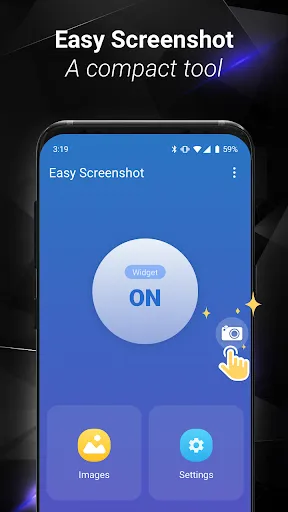
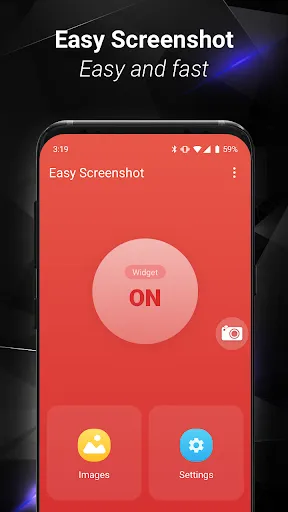
Quick Capture: Capture full screen, window, or a selected area with a single tap; supports timed captures and scrolling screenshots. Saves instantly and can copy to clipboard for immediate use. 📷
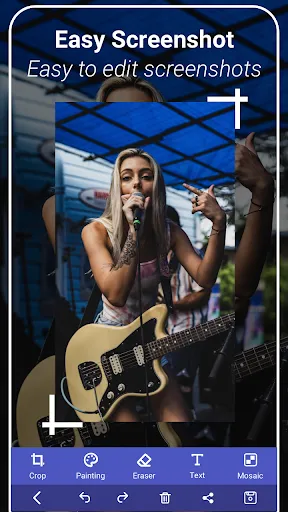
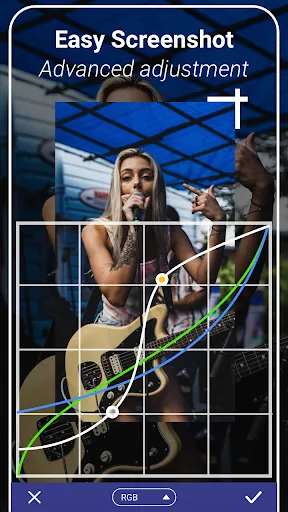
Built-in Editor: Annotate, crop, blur sensitive information, and add arrows or text before sharing; edits are non-destructive and easy to undo. Edit presets speed up common tasks. ✂️
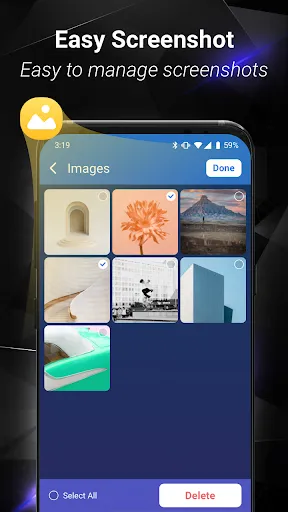
Cloud Sync & Backup: Automatic cloud upload keeps screenshots accessible across devices with secure links and version history. Share directly to apps or create expiring links for control. ☁️
Privacy Controls: Local-only mode prevents cloud upload for sensitive captures and stores images encrypted on device. Granular permission settings put control in the user's hands. 🔒
Integrations & Shortcuts: Keyboard shortcuts and share sheet extensions speed workflows and support quick exports to productivity tools. Customizable hotkeys streamline repeated tasks. 🔗
👍🏼 Pros
Fast and reliable: Instant captures with minimal lag make screen grabs effortless. Designed for quick sharing in busy workflows. ⚡️
Powerful editing: Rich annotation tools remove the need for a separate editor, including arrows, text, and blur. Undo support keeps edits non-destructive. 🖌️
Secure options: Local-only mode and encryption let users keep sensitive images off the cloud. Permission prompts are clear and granular. 🔒
Seamless sharing: One-tap share to messaging, email, or cloud links accelerates collaboration. Shared links include preview thumbnails for recipients. 🔗
Customizable: Hotkey and gesture customization adapts to individual workflows. Presets for frequent capture types save time and reduce clicks. ⚙️
👎🏼 Cons
Ads in free tier: Free version displays ads that can interrupt the capture flow. Ads may nudge users toward paid tiers. 📢
Watermark on exports: Some free exports include a small watermark unless upgraded. That can be a drawback for professional sharing. 🏷️
Cloud features require account: Automatic cloud sync and sharing require creating an account, which adds friction for private or casual users. Manual export is available but less seamless. 📝
Limited advanced video capture: Screen recording features are basic compared to dedicated recorders and lack advanced frame-rate controls. Editing options for recorded video are limited. 🎥
Battery and storage impact: Frequent captures and automatic uploads can increase battery and storage usage on-device. High-resolution default saves can fill space quickly. 🔋
💰 Prices
Free tier available with ads, limited cloud access, and watermark on some exports to try core features before upgrading. Premium one-time purchase removes ads and watermark and unlocks advanced editing for around $9.99. Pro subscription unlocks cloud sync, team sharing, and extra storage at about $2.99/month or $19.99/year. Enterprise pricing and bulk plans are available for organizations needing centralized management and higher storage.
Screenshots
Similar Apps
-

Questwatch - player tool
LILI7713.9 -
Deep Recovery - Restore All
Mario Cesar Berardo4.1 -
فیلتر شکن قوی پرسرعت Teta vpn
Link&work4.4 -
Simple cleaner - Storage Boost
Lemon Great App4.1 -
Mega Tools
Stepadev4.2 -
Neat Manager - AntiVirus
Skew Lab3.7 -
QR Code & Barcode Scanner
SolaraSoft3.4 -
PhotoRecovery & FilesRecovery
Chat Video Dating Apps Pte. Ltd.3.9 -
Device Storage Defender
Imobmaroc3.9 -
Unlimited VPN | EU Turbo VPN
Kongs4.8







Trending Apps
>>-
PlutoTV: Stream Free Movies/TV
Pluto, Inc.3.7 -
Led Light & 3D Wallpaper App
Tresor Tech4.4 -
ChatGPT
OpenAI4.8 -
Music Downloader Mp3 Download
Video Downloader & Video Player Team4.8 -
Google Translate
Google LLC4.3 -
Blink Home Monitor
Immedia Semiconductor4.3 -
The Weather Channel - Radar
The Weather Channel4.6 -
NFL
NFL Enterprises LLC2.9 -
HP
HP Inc.4.1 -
YouTube
Google LLC3.9 -
Google Drive
Google LLC4.3 -
McDonald's
McDonalds USA, LLC4.1 -
Yahoo Mail: Email & Planner
Yahoo4.2